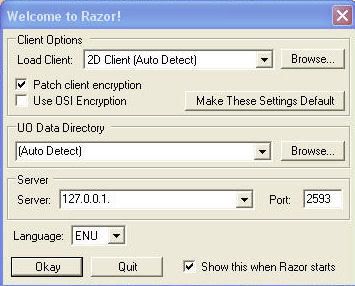
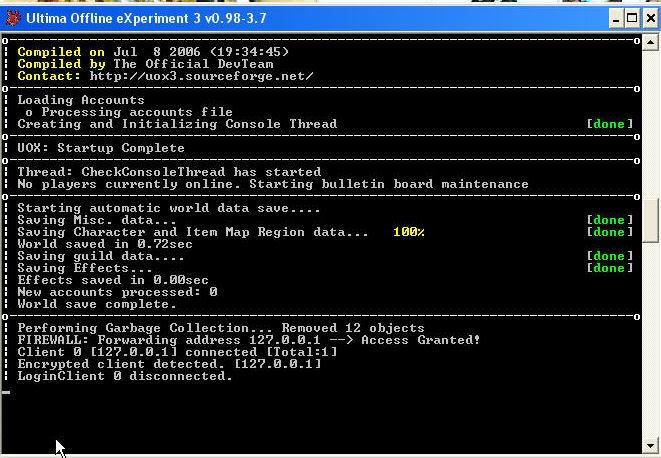
Sorry, I'm short on time so I can't post a more detailed repair:
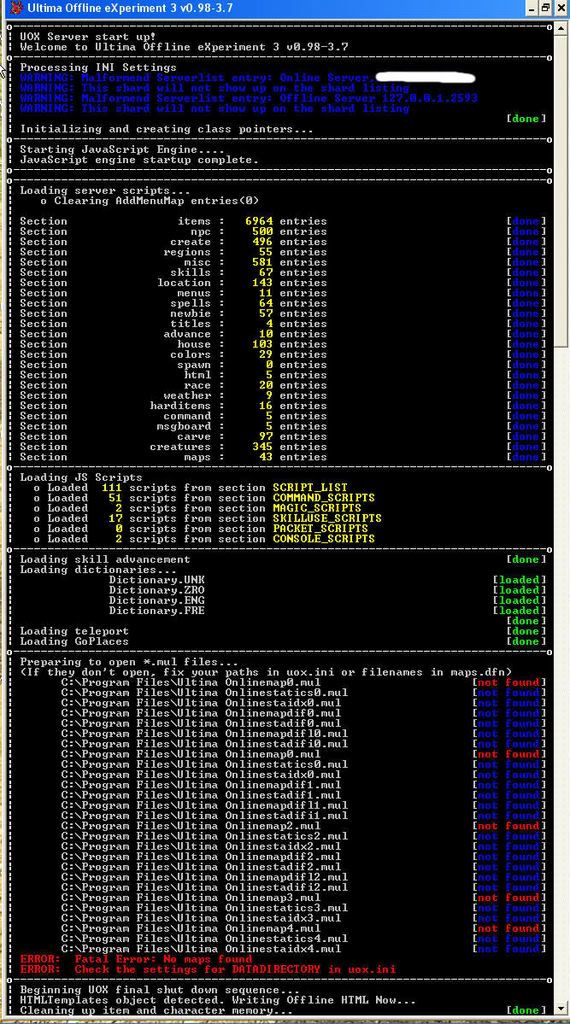
Basically your server is not "pointing" to the directory of your UO client. Uox3 still needs to read UO files (like maps and objects) in order to function.
In your uox3 directory, open the file marked uox.ini and scroll to about the second or third section.
It should say "paths c:\<directory" or something like that.
Make sure it points to the location of where you installed UO, for my computer it is Path=c:\games\UO
Only the top line matters, the rest of the lines will automatically work if you point to the correct location of UO.
Hope that helps..... and don't worry, everyone is a noob. All questions welcome.
I usually install the client into something off root like c:\UOML
so I don't have to deal with the long directory name
(c:\program files\ultima online\blah blah blah\)
However, as Xuri says, you are missing a \ for your game data directory.
Mindless Automaton
Linux - UOX3 - 0.99.5 dev branch
Win10Pro 19042.572 - UOX3 0.99.3a; Razor 1.0.14; Client 7.0.87.11 or 4.0.11c (Patch 0)
I did what you told me, but I think that I've found the root of the problem, the files won't load... because they're simply no there. I downloaded the game off the net.... I'm guessing that the missing files are probably on the original disks
I have no objection to going out and buying the game (again) lord knows that in the past I bought enough..... maybe this is the problem, one can't load what isn't there... can you?
SO... back to the drawing board. People, advise me, what game should I be aiming for?
At the top you'll notice that some of the missing files are in red and some are in blue... the one's in red I ended up finding and by creating a DATAFILE folder in my UO folder I was able to load the RED ones, BUT... as I mentioned about the missing files.... well, they're conveniently highlighted in Blue.
If I'm too much trouble, just tell me and I'll go back to World of Warcraft... albeit with my tail between my legs
Nothing to do with that. I'm guessing it's an incompability between the client version you're running and the UOX3 version you're trying to connect to. Make sure your client version is somewhat up-to-date.
Also - are you using a program to remove the client encryption before trying to connect?
Wulfrune wrote:If by client you mean the UO client I'm using UO Version 6.0.10.0 (patch 117)
That version is too new, there haven been changes to the packets and the encryption that cause problems with UOX3 and (at least) uo_rice. Let the client only patch up to the last 5.x version or the first 6.0 version, then it should work.
Re-check your name and password in accounts.adm. Ensure there are no trailing spaces, and that you are typing them in (case-sensitive) exactly as they are in the file.


 All questions welcome.